

Entering Time in Workday
Audience: All student and hourly employees who are required to record hours worked.
Directions:
1. Login to Workday
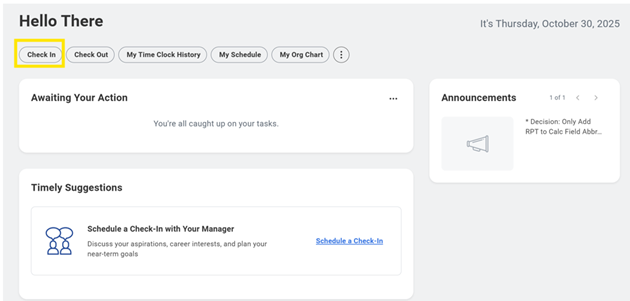
2. Click "Check In" from the Workday home page.
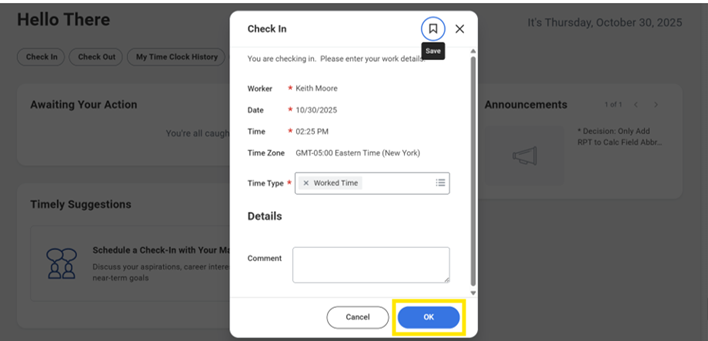
3. Enter the Time Type and Details.
Note: If you have multiple jobs, you must select the job to enter time against.
4. Click OK
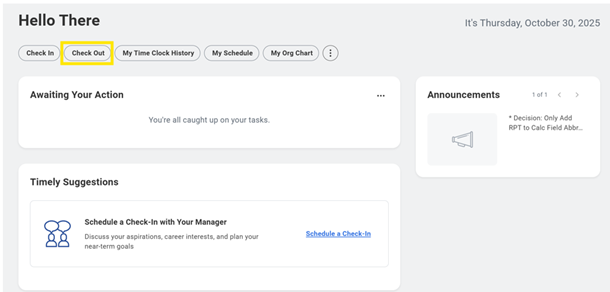
5.After your work is completed, navigate back to the Workday home page and click "Check Out"
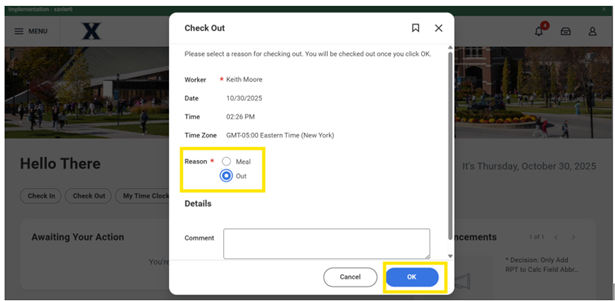
6. Select a reason for Check out.
7. Click "OK"
** Time Check In and Check Out are also available through the  Workday mobile app.