
Workday September (2026 R2) Release Notes
Configurable Workday Home Page
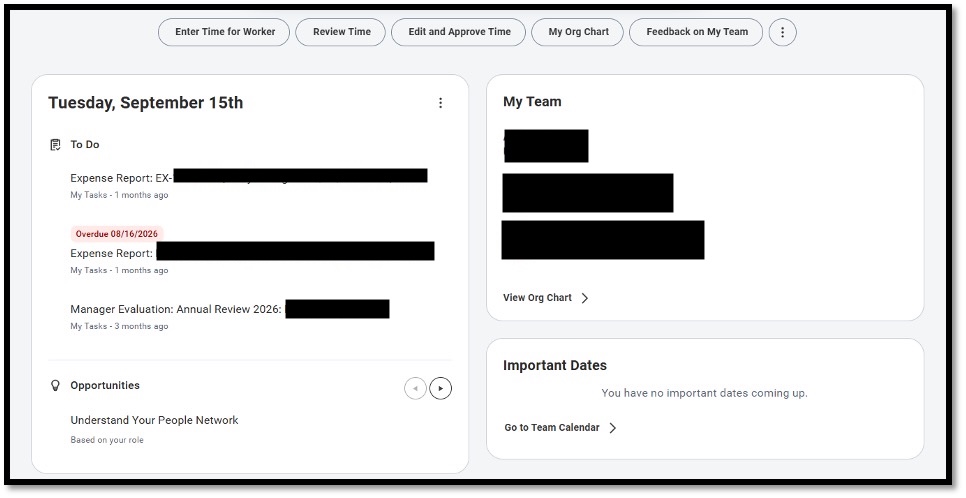
The Workday Home Page has been updated with a more flexible, modern layout designed to make everyday tasks and important information easier to find. The new page uses a two-column layout on desktop and a single-column layout on mobile, with content displayed through configurable widgets and cards.
What’s New
- A new Daily Brief widget combines tasks and personalized updates, including items Awaiting Your Action, Timely Suggestions, and Recommended for You.
- The Important Dates widget displays upcoming holidays.
- Organizations can configure the priority and visibility of widgets for desktop and mobile users.
- Configurable cards can be added to the Home Page to provide a more personalized experience.
What This Means for You
You may notice changes to the way information is organized when you access your Workday Home Page. The updated design provides a more streamlined view of tasks, notifications, recommendations, and other important information in one place.
Team Highlights Updates
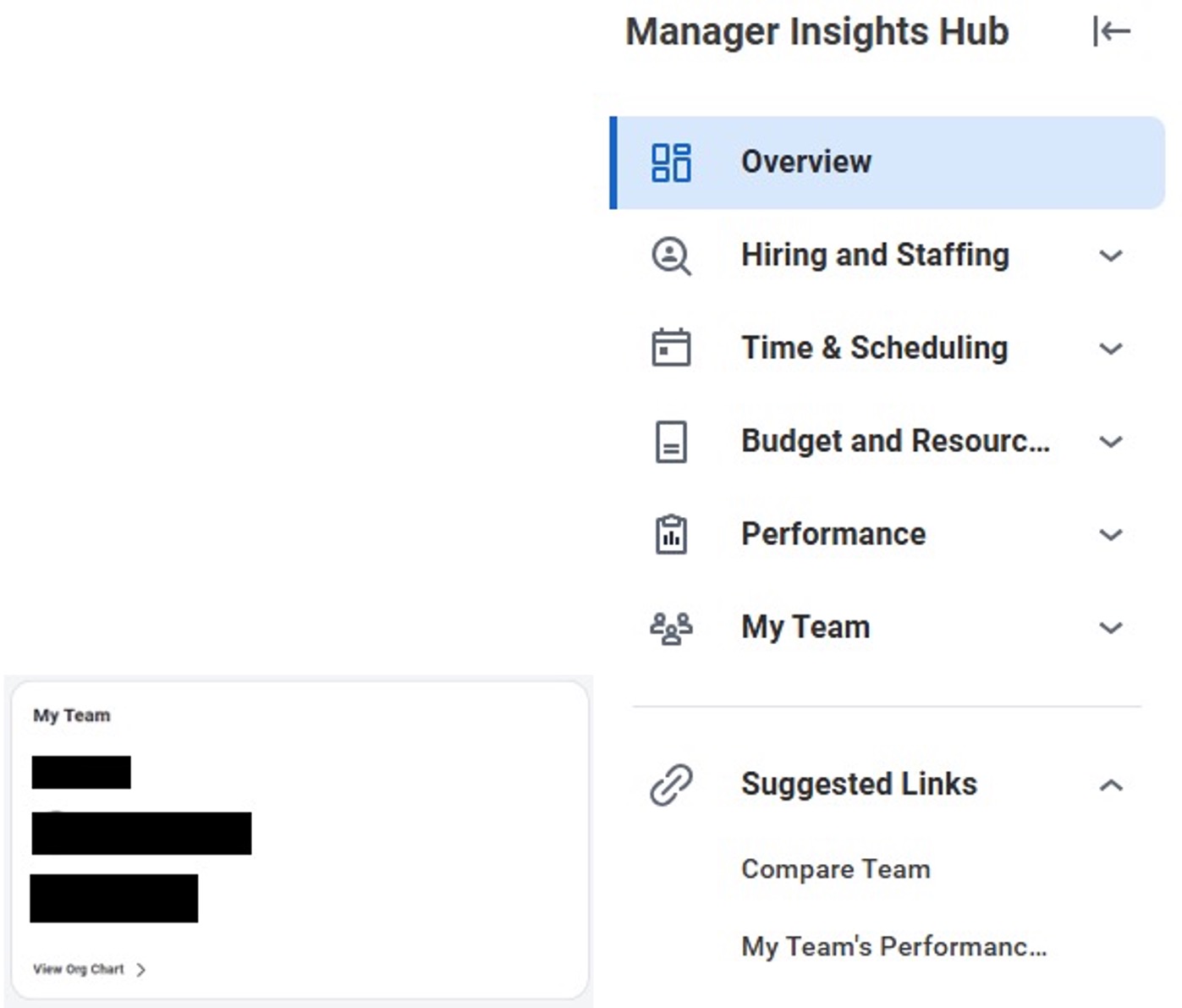
The Team Highlights section on the Workday Home Page has been replaced with a more flexible My Team widget and individual manager insights. This update gives managers a streamlined way to view information about their direct reports and stay informed about important team activities.
What’s New
- The former Team Highlights section is no longer displayed on the Home Page.
- The new My Team widget provides quick access to direct reports, worker profiles, and the organizational chart.
- Manager insights are now displayed as individual cards, including:
- Development Items Overdue
- Feedback Received
- Goals Overdue
- Learning Due Soon or Overdue
- Upcoming Check-In
- These insights are surfaced through the Daily Brief widget.
What This Means for You
Managers will see team information presented in a more organized and flexible format, making it easier to access employee information and stay on top of important team activities.
Global Navigation Customization and Reset Functionality
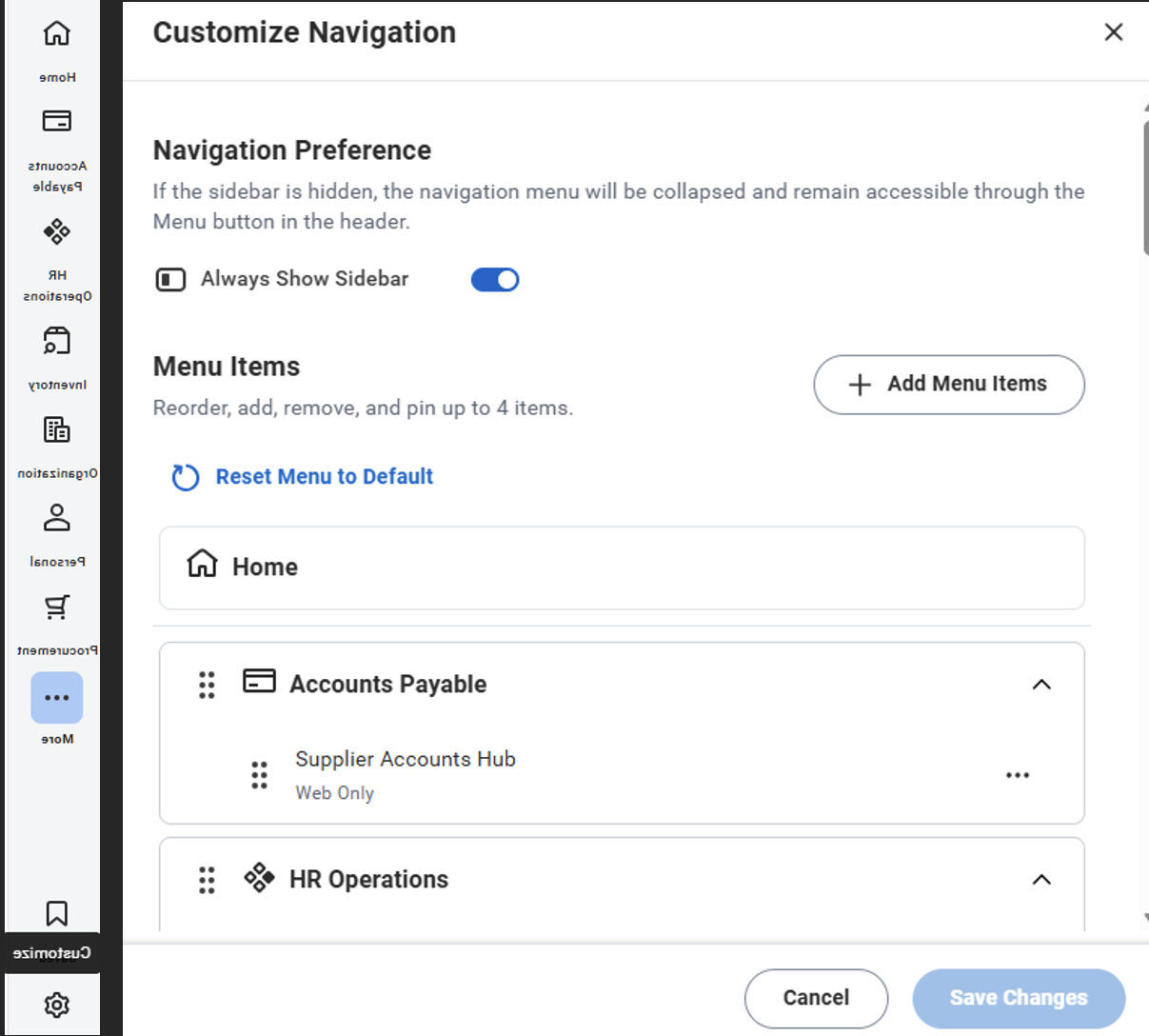
Workday has updated global navigation to provide a more consistent and customizable user experience. The new navigation options allow administrators to set whether the sidebar is displayed by default, while users can customize their navigation and easily return to the standard configuration.
What’s New
- Administrators can use the Default Hide Sidebar setting to determine whether the sidebar is displayed by default.
- Users can customize their navigation menu to fit their preferences.
- A new Reset Menu to Default option allows users to quickly return their navigation to the standard configuration.
What This Means for You
You may notice changes to the Workday navigation and sidebar. If you have customized your navigation, you can use Reset Menu to Default from the sidebar Settings menu to return to the default configuration.
Worker Profile User Experience
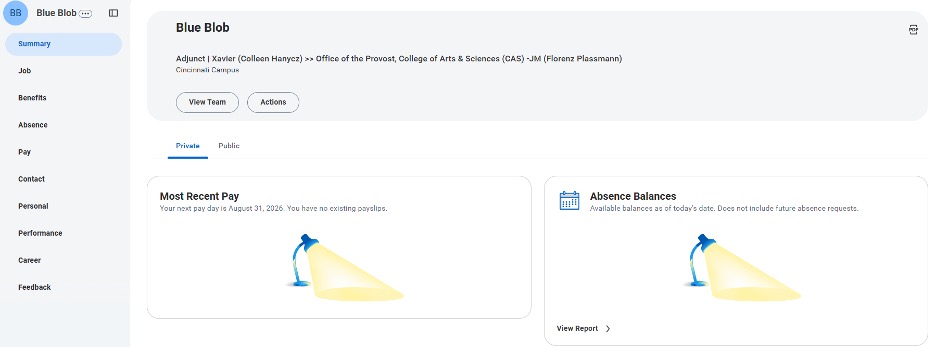
Workday has updated the Worker Profile with a more accessible and streamlined design, making it easier to view and navigate personal and professional information.
What’s New
- A new profile header displays location and contact information.
- A collapsible side menu provides easier navigation throughout the profile.
- A Private tab displays personal information, such as annual rewards, most recent pay, and absence balances.
- A Public tab shows how the worker profile appears to others.
What This Means for You
The updated Worker Profile provides a more organized way to access your information while giving you a clear view of what information is private versus what may be visible to others.
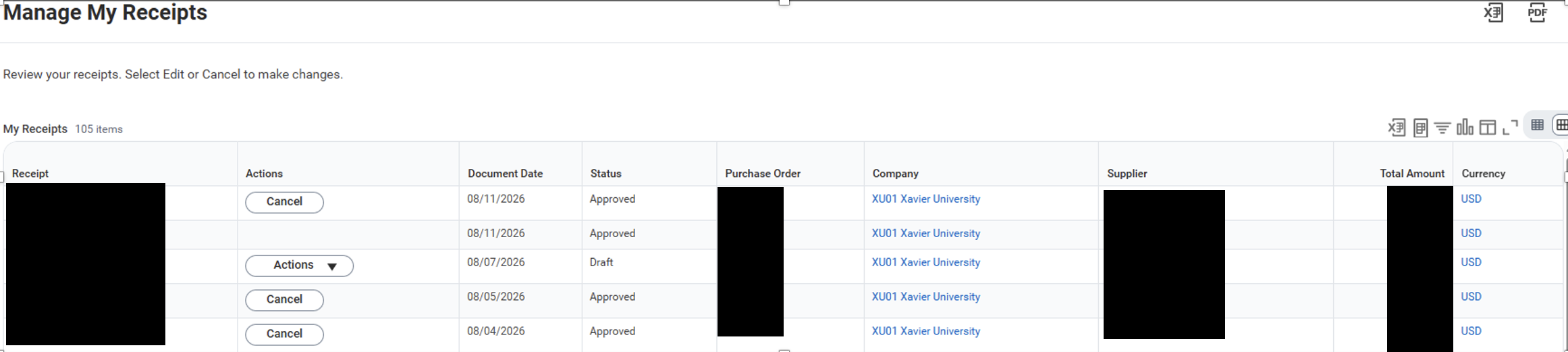
Manage My Receipts
Workday introduces Manage My Receipts, a new self-service task that gives workers one place to view, edit, cancel, and track the status of receipts they have created or requested.
What’s New
- View receipt details and status in one location.
- Edit Draft receipts directly to resume saved work or resolve validation issues.
- Cancel receipts that were created in error or are no longer needed.
- A new My Draft Receipts Home Page card alerts workers when they have receipts that still require attention.
What This Means for You
Workers have greater visibility and control over their receipts, reducing the need for administrative assistance when correcting, completing, or canceling draft receipts.